 Apex Blue
: Purchase Orders & Profit Analytics
Know your margin before you buy.
Suppliers, purchase orders, landed cost, profit and loss and restocking, in one place. Built from your own costs and Amazon's real fees.
7 days free, then $149 a month, plus tax where applicable. Card required, nothing charged until day 8. Cancel any time before then.
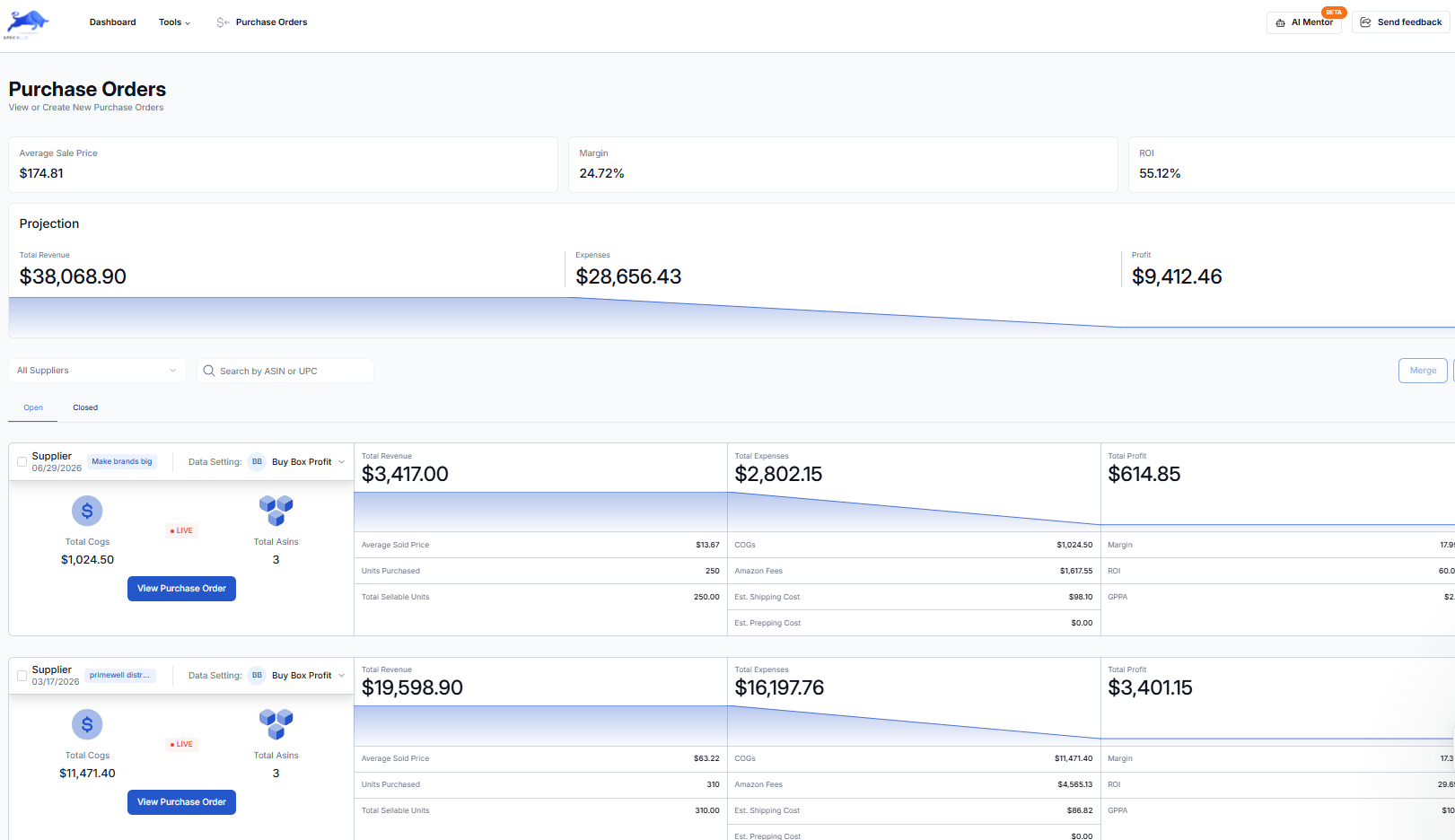
The numbers you buy on.
- Every few minutes.
- Orders, sales, refunds, Amazon fees and FBA inventory sync from Amazon.
- Day. Week. Month.
- A profit and loss statement at whatever range you choose.
- Your cost wins.
- A submitted purchase order fills in unit costs. A cost you type yourself always overrides it.
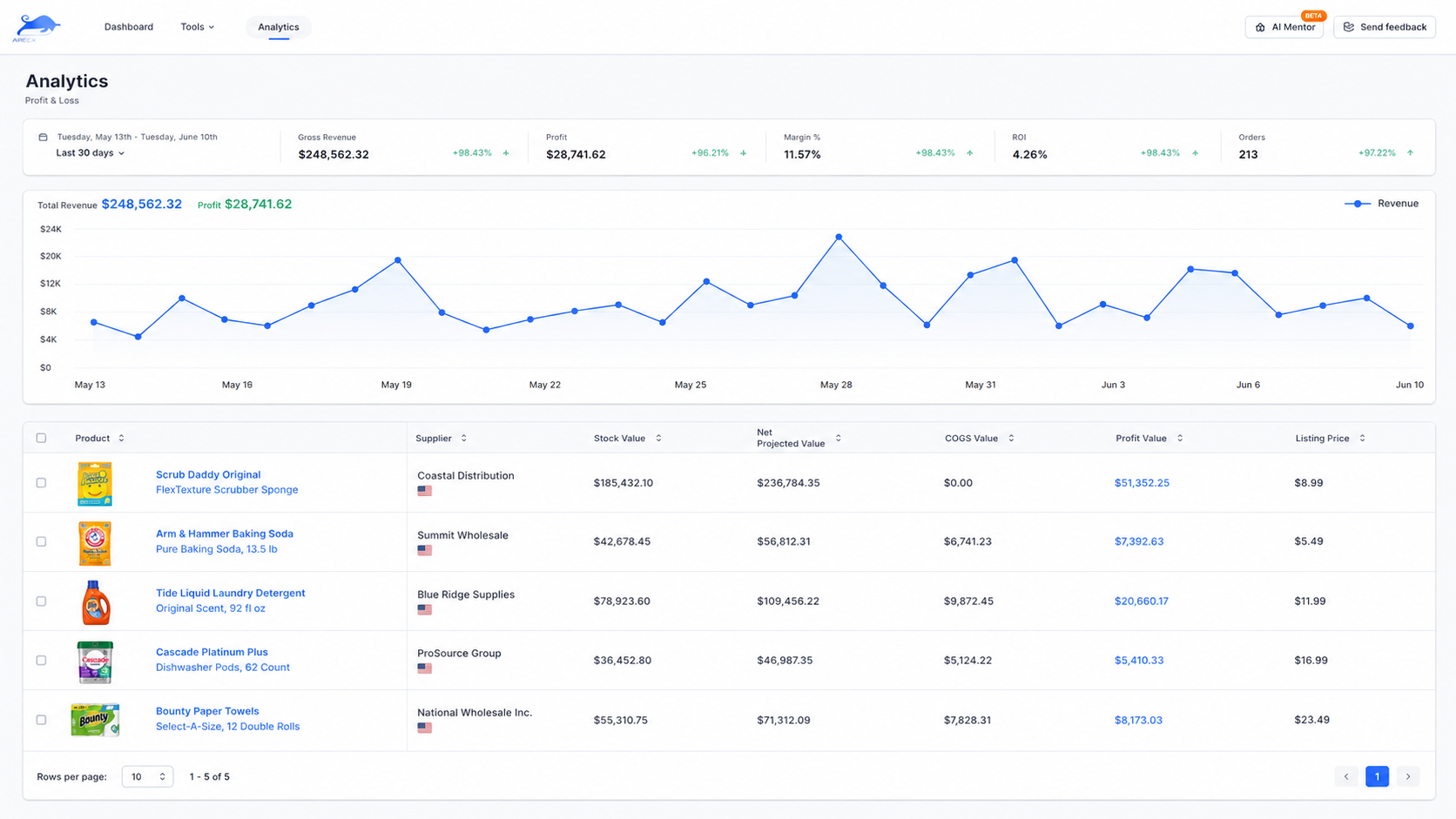
Profit and loss
Real profit, as you sell.
Sales sync from Amazon, fees come off automatically, and the operating expenses you record take you from gross to net. By day, week or month, down to each SKU.
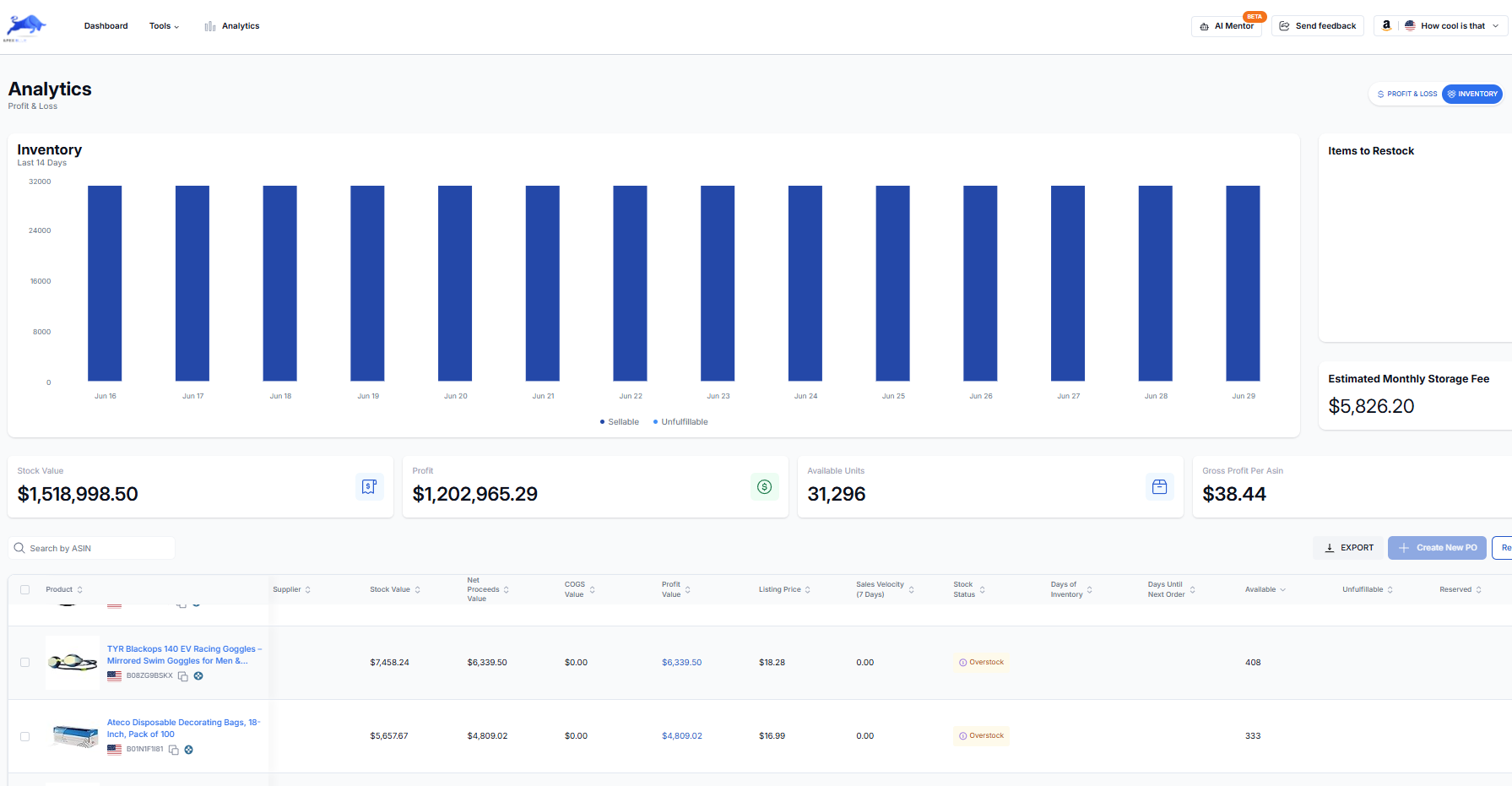
Restock
Reorder before you run out.
Days of stock left and a restock status for every product, from your stock, sales velocity and the cover you set. Start a purchase order straight from what needs restocking.
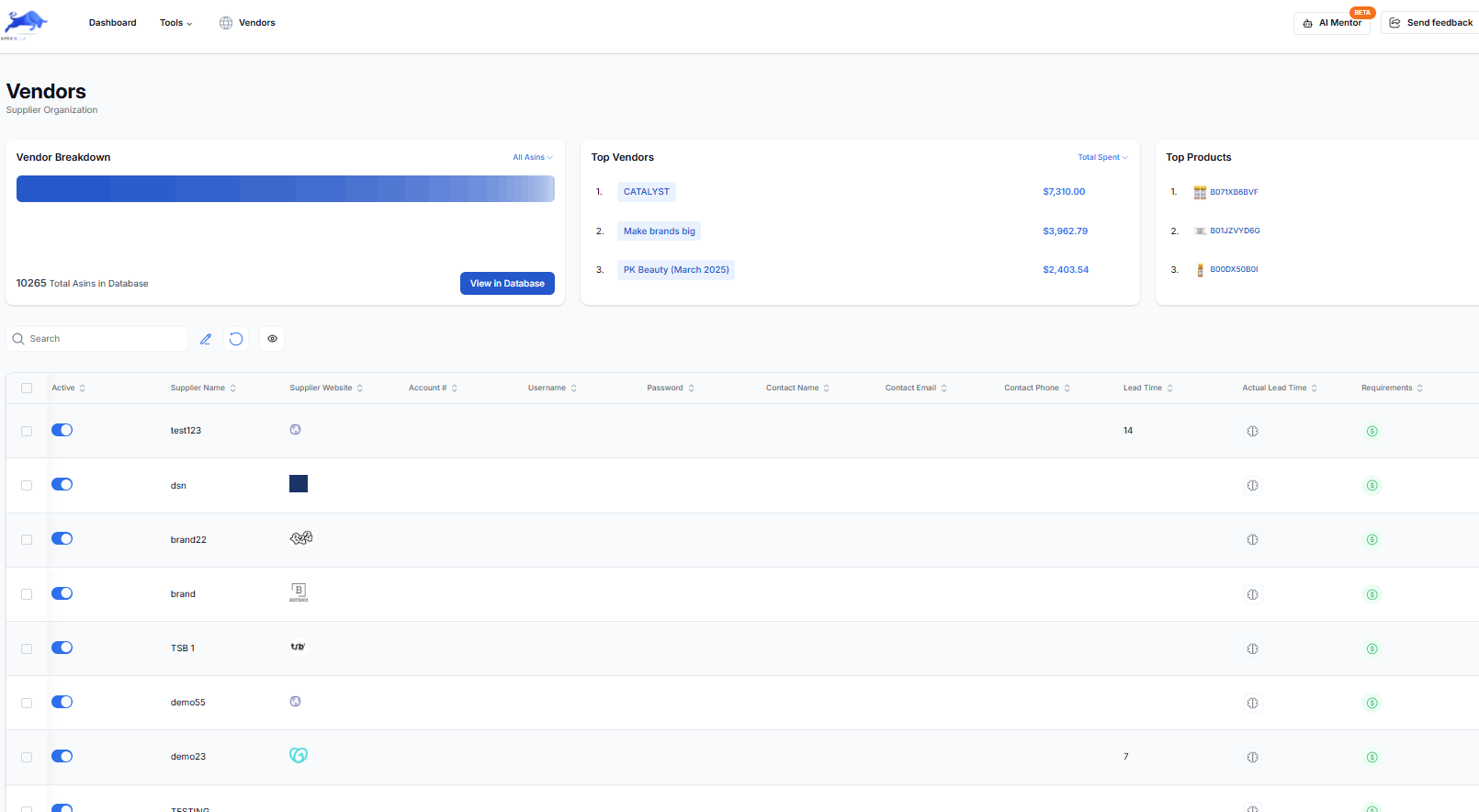
Suppliers
Every vendor, on terms you can see.
Contacts, terms and lead times for each supplier, with stated lead time shown against the actual one. Purchase orders start from the right details.
Products database
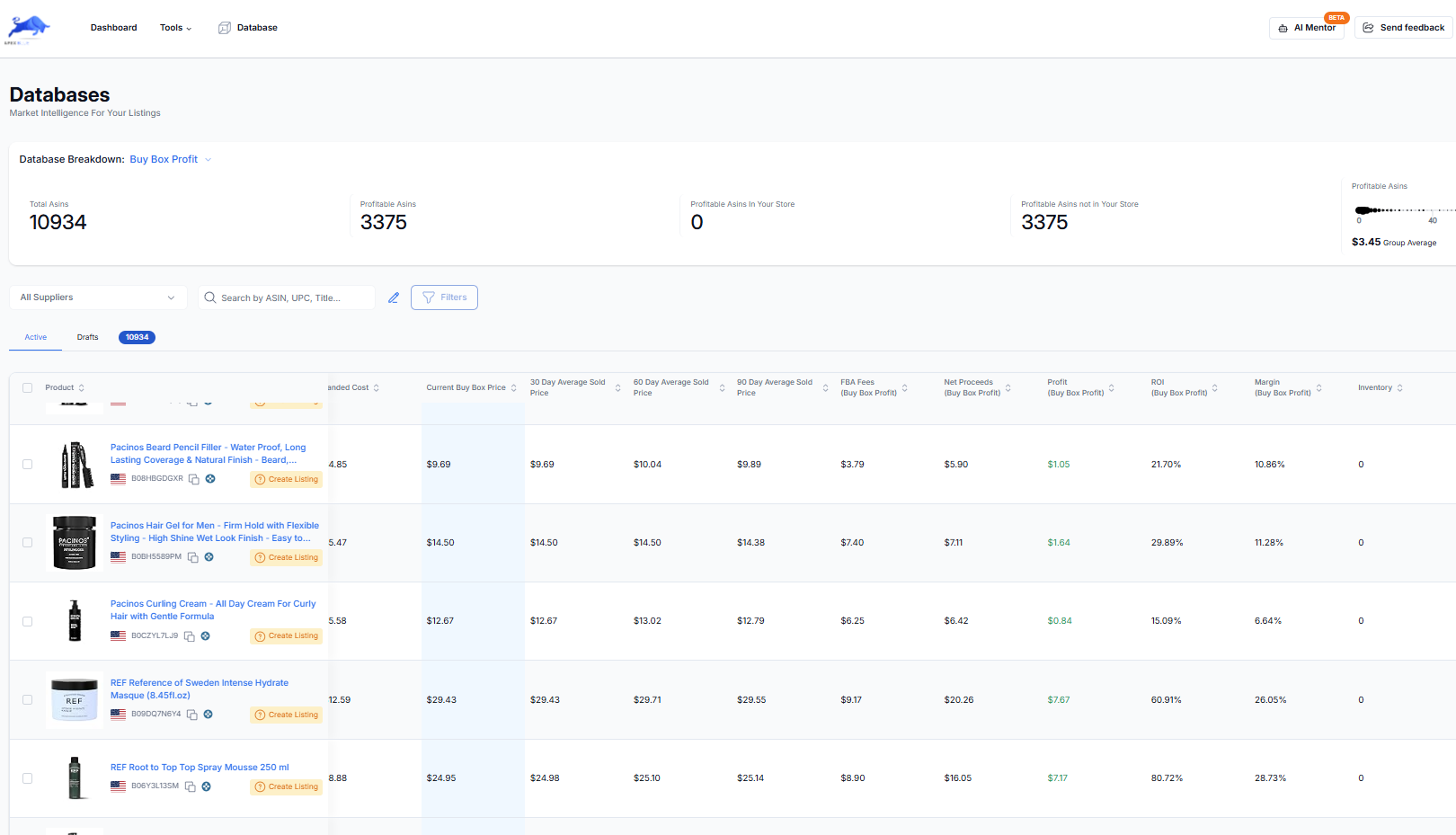
What is profitable, across every supplier.
Buy Box price, fees, net proceeds, profit, ROI and margin for every product in your database, with 30, 60 and 90 day averages on Pro.
Operating expenses
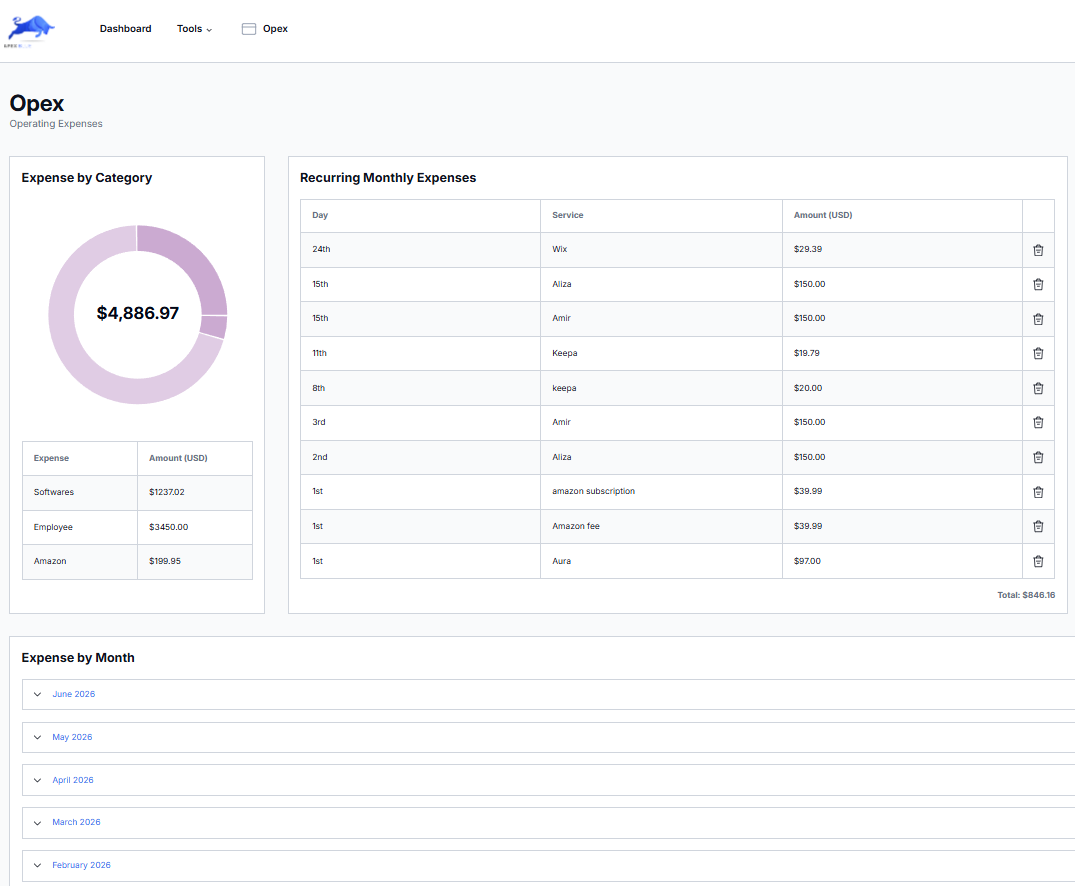
What it really costs to run.
Track every subscription, tool and team cost by category, so net profit is the real number and cost creep shows up early.
At a glance
Apex Blue, in plain terms.
Costs live in one spreadsheet, orders in email and profit in Seller Central reports, so nobody knows the real margin on a product or when to reorder it.
Who it is for
What you need
- Your Amazon account connected, so sales, fees and inventory sync
- Your suppliers and product costs, entered or uploaded once
- Inbound shipping, prep and operating expenses, if you want them in profit
What you get
How it works
- Add suppliers and products with their costs and case packs
- Build a purchase order from your database or a supplier scan
- Submit it; its unit costs become the cost of goods for those products
- Read profit and loss by day, week or month
- Use the inventory view to see days of stock left and what needs restocking
From Amazon, and from you
Synced: Orders, sales, refunds, Amazon fees and FBA inventory, every few minutes.
You add: Product costs, inbound shipping and prep, operating expenses and supplier lead times. A submitted purchase order fills in unit costs for you; a cost you type yourself always wins.
Plans
- Beginner: 500 products in your database, 1 user
- Starter: 4,000 products, 1 user
- Pro: 50,000 products, 5 users
- Purchase order discrepancy tracking, exports and 30, 60 and 90 day Buy Box averages are on Pro
Good to know
- Profit is only as complete as the costs you enter. A product with no cost shows sales but no true profit.
- Operating expenses are counted for the whole store, not split across products.
- Restock suggestions come from your stock, sales velocity and the cover you set. They are not a demand forecast.
With ChatGPT or Claude
“How did my business do this month after expenses, and which profitable products should I reorder?”
On Pro, a write link lets your assistant prepare a draft purchase order for you to review.
Buy your next order on real numbers.
7 days free, then $149 a month, plus tax where applicable. Card required, nothing charged until day 8. Cancel any time before then.
Guides for Apex Blue
- Purchase order workflowHow to run purchase orders for Amazon wholesale from quote to receiving: what goes on a PO, landed cost, invoices, discrepancies and restock orders.
- When to reorderWork out when to reorder from lead time, prep days, inbound days and daily sales, with a calculator and the fees for too little or too much stock.
- Amazon payoutsWhy your Amazon payout is lower than your sales: how DD+7 and the account reserve work, how to read a settlement report, and how to plan cash around it.
- Your first wholesale orderHow to test small across several products, size each line from sales and case packs, plan the cash beyond the order, and build your first purchase order.
How Apex Blue compares
Side-by-side with the tools sellers usually weigh it against, including where they are the better choice.
- Apex vs sellerboardProfit analytics
- Apex vs Seller AssistantAll-in-one sourcing
- Apex vs InventoryLabListing, shipping and accounting